INKAI – AI
Tattoo
Generator
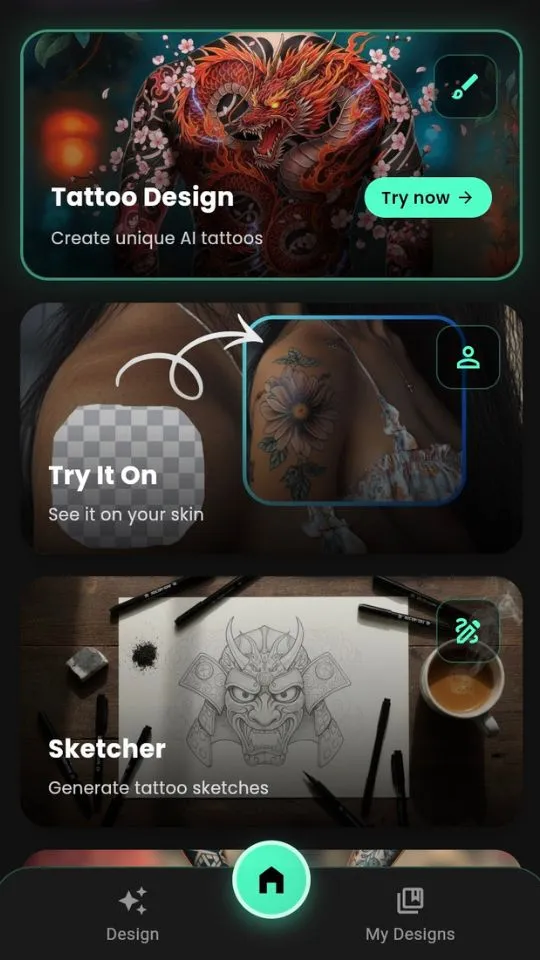
INKAI is an AI tattoo generator app that lets you describe your tattoo idea and instantly generates custom, realistic tattoo designs ready for your artist.
For anyone planning their next tattoo — no drawing skills, no studio visit required. Describe it, generate it, share it with your artist.
- ⚡ Type your idea → get a custom AI tattoo design in seconds
- 🎨 50+ styles: minimalist, geometric, Japanese, tribal & more
- 📱 Preview how your tattoo looks on your body before getting inked
- 💾 Export high-res files to share directly with your tattoo artist


⭐ 4.9 Rating
500k+ Downloads
4.9/5 Rating
“Finally, an AI tattoo app that understands blackwork and fine line styles. Like having a master artist in my pocket.”
What Is an AI Tattoo Generator and How Does INKAI Work?
INKAI is an AI tattoo generator app. You type a description of the tattoo you want — the style, the subject, the placement — and the AI generates a custom design in seconds. No sketching, no waiting for a consultation, no guessing. The output is a high-resolution image you can save, screenshot, and bring to your tattoo artist as a reference.
INKAI supports over 50 tattoo styles. It works for small minimalist designs as well as full sleeves and complex multi-element pieces. Every generated design is unique — the AI does not reuse or copy existing artwork. You can also try the ink AI tattoo generator directly in your browser for instant results.
AI Tattoo Design Ideas at Your Fingertips
Explore infinite possibilities through text prompts. Describe what you want — the AI creates it. No drawing skills needed.
AI Tattoo Styles & Placement Ideas
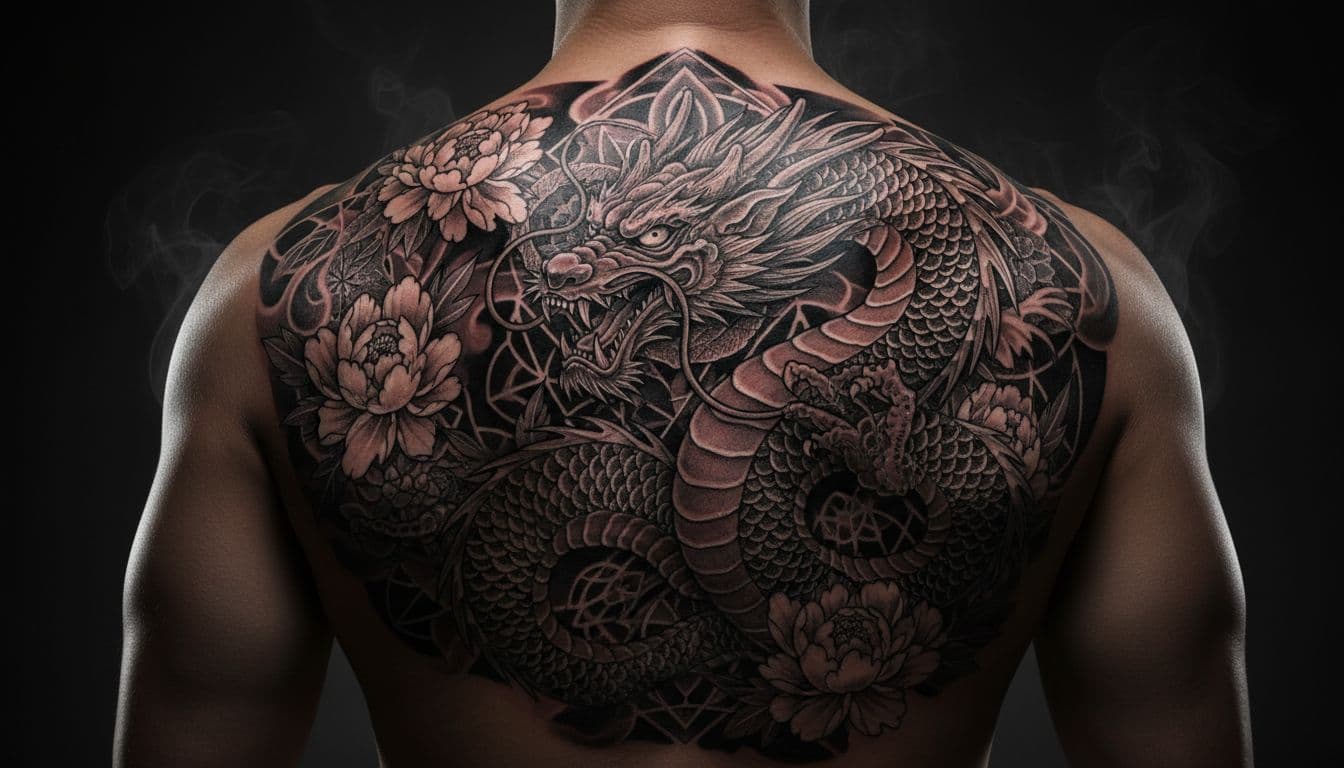
AI-generated tattoo designs across geometric, minimalist, traditional, and fine line styles.
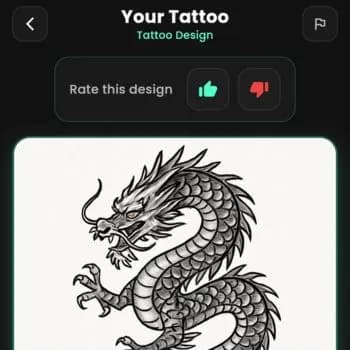
How the AI Tattoo Generator Works
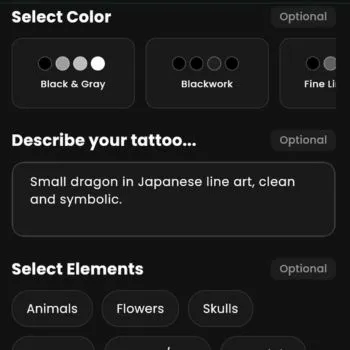
Describe Your Idea
Type your tattoo vision in plain words. A phoenix with cherry blossoms? A geometric wolf? Just describe it.
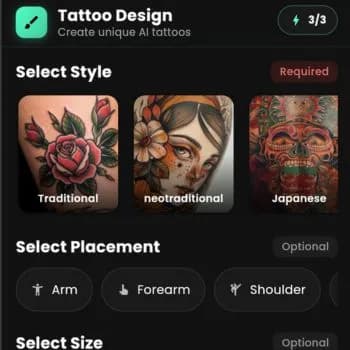
Pick a Tattoo Style
Choose from 50+ styles: minimalist, traditional, Japanese, tribal, watercolor, blackwork, fine line, and more.
Generate AI Tattoo Art
The AI creates unique, custom tattoo designs in seconds. Iterate until you find the perfect piece.
Share with Your Tattoo Artist
Export a high-resolution file. Send it to your artist by message, email, or show it on your phone at the consultation. Print-ready quality.
How to share your AI tattoo design with your tattoo artist
Once you generate a design in INKAI, tap the download button to save a high-resolution image to your phone. You can then send it to your artist via Instagram DM, WhatsApp, email, or simply show it on your screen during your consultation. Want to showcase your tattoo concept in motion? Use an AI video generator to create a short video of your design for social media. Most tattoo artists are happy to work from AI-generated reference images — they treat it the same as any other reference photo you bring in.
AI Tattoo Design Tools & Features
INKAI has five modes. Each one handles a different part of the tattoo planning process — from generating the design to previewing it on your body.
AI Tattoo Generator
Create Custom AI Tattoo Designs from Text
Type a description of your tattoo idea. The AI generates a custom design in seconds. Choose from over 50 styles including minimalist, geometric, traditional Japanese, and blackwork. Every design is unique.
AI Tattoo Sketches
Generate Tattoo Sketch Art with AI
Get hand-drawn style tattoo sketches generated by AI. Perfect for rough concepts, flash sheet ideas, or when you want that authentic pencil-on-paper look before committing to ink. Share sketches directly with your artist for consultation.
Tattoo Try On
Preview Your AI Tattoo Design on Your Body
Upload a photo and visualize how your AI-generated tattoo design will look on your skin before your appointment. Test placement, sizing, and flow on your actual body. No more guessing — see your next tattoo before the needle touches.
AI Tattoo Ideas
Discover Unique Tattoo Ideas Powered by AI
Not sure what to get? Describe a theme — nature, mythology, a personal symbol, an emotion — and the AI generates tattoo ideas based on it. A starting point when you know the feeling but not the design.
Community
Join the INKAI Tattoo Design Community
Browse thousands of AI-generated tattoo designs shared by other users. Get inspired, save your favorites, and share your own creations. A growing gallery of tattoo design ideas from real people exploring AI body art.
High-Res Export
Print-Ready AI Tattoo Files for Your Artist
Export your AI tattoo design as a high-resolution image file — ready to send to your tattoo artist by message, email, or print. Quality suitable for stencil tracing and artist reference. No compression, no watermarks.
AI Tattoo Design Reviews
Real people who used INKAI to design their tattoo before their appointment.
⭐⭐⭐⭐⭐
“INKAI allowed me to visualize exactly how a full sleeve would look. My artist was impressed by the clarity of the design files I brought in.”
⭐⭐⭐⭐⭐
“The minimalist AI tattoo generator is insane. I found the perfect design for my inner wrist in less than 5 minutes. No drawing skills needed!”
Who Uses the INKAI AI Tattoo Generator?
INKAI is an AI tattoo generator app built for anyone who has a tattoo idea and wants to see it before getting inked. Whether you're planning your first piece or your fifteenth, the AI makes custom tattoo design accessible to everyone — no skills required.
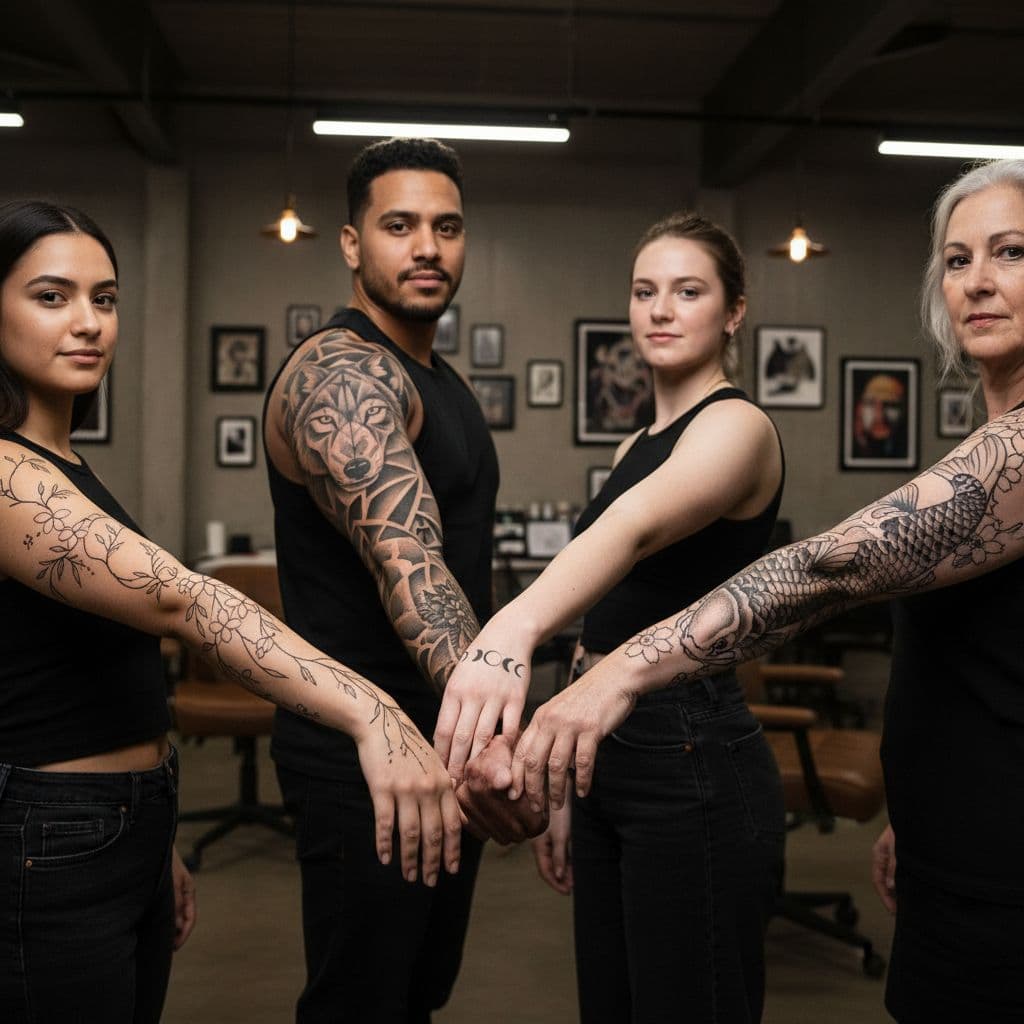
500k+ users
Can't Draw, but Have an Idea
You know exactly what you want on your skin — you just can't get it onto paper. Type it out in plain English and INKAI's AI tattoo generator does the rest. No art degree needed.
Planning Your First Tattoo
Choosing your first tattoo is a big deal. Visualize different designs, styles, and placements before you commit. Walk into your consultation knowing exactly what you want.
Covering Up an Old Tattoo
Need a cover-up but can't picture what would work over your existing ink? Generate dozens of cover-up concepts in seconds and find the direction that excites you.
Getting Matching Tattoos
Couples, best friends, and siblings — design coordinating tattoos together. Experiment with shared symbols, split designs, and complementary styles before your appointment.
Tattoo Artists Seeking Reference
Professional artists use INKAI to rapidly prototype client ideas, explore style directions, and generate reference images for custom commissions.
Creating a Memorial Tattoo
Tribute tattoos carry enormous meaning. INKAI helps you visualize the right design — a portrait, a symbol, a date — before entrusting it to your artist permanently.
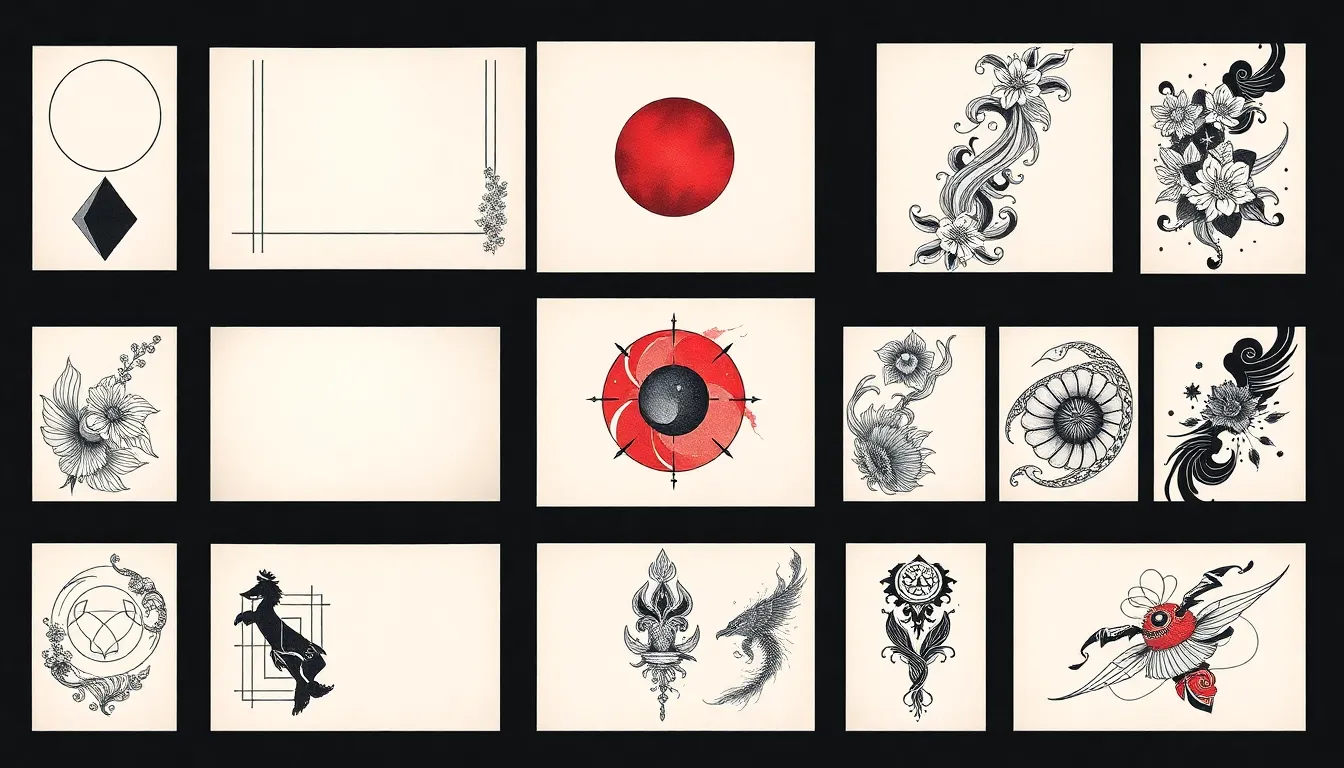
✨ 50+ Styles Available
AI Tattoo Styles You Can Generate
INKAI's AI tattoo generator supports over 50 distinct tattoo styles — from ultra-minimalist single-needle work to bold traditional American flash. Each style is understood by the AI at a deep level, so your generated designs actually look like the real thing, not a filtered photo.
Minimalist
Clean lines, negative space, subtle elegance. Perfect for wrists, ankles, and first-timers.
Geometric
Sacred geometry, precise symmetry, and mathematical beauty. Works on any placement.
Japanese (Irezumi)
Koi fish, cherry blossoms, dragons, waves. Bold traditional storytelling in ink.
Tribal
Bold black patterns rooted in Polynesian, Maori, and Celtic traditions.
Watercolor
Flowing color washes that look like paint on skin. Vivid and painterly.
Blackwork
Heavy black ink, high contrast, dramatic impact. Statement pieces.
Fine Line
Delicate single-needle detail work. Intricate without the bold outlines.
Realism
Hyper-detailed portraits and photorealistic imagery rendered in ink.
Dotwork
Thousands of tiny dots create shading, texture, and mandala-like patterns.
Neo-Traditional
Classic tattooing reimagined — bold lines with modern color palettes and depth.
Traditional (Old School)
Bold outlines, flat color, timeless maritime and folk imagery.
Script & Lettering
Quotes, names, dates, and meaningful words in beautiful custom typography.
🌟 First Tattoo Guide
How to Plan Your First Tattoo: From Idea to Ink
Getting your first tattoo is exciting and nerve-wracking in equal measure. The biggest mistake first-timers make is rushing the design process. Here's how to plan it right — and how an AI tattoo generator helps you walk in with total confidence.
Research & Find Your Style
Spend time exploring tattoo styles — minimalist, geometric, traditional, Japanese, fine line. Look at real tattoo portfolios on Instagram and Pinterest. Use INKAI to generate AI tattoo ideas until something clicks.
Choose Your Placement
First-timers often choose areas with lower pain (forearm, upper arm, calf) and high visibility. Avoid ribs, sternum, hands, and feet for your debut — save those for when you know you love the process.
Design with AI First
Before booking, generate your design idea with INKAI. Try multiple styles, sizes, and compositions. Screenshot your favorites to bring to your consultation — your artist will love the clarity.
Find the Right Artist
Not every artist excels at every style. Search for an artist whose portfolio already shows work in the style you want. Booking with a style match matters more than price.
Prepare for Your Appointment
Eat a full meal beforehand, stay hydrated, wear loose clothing that exposes the area, and avoid alcohol 24 hours prior. Bring your AI design reference on your phone or printed.
Aftercare Comes First
Follow your artist's aftercare instructions exactly. Keep the tattoo moisturized, out of direct sun, and away from water submersion for 2–4 weeks. Good aftercare determines how your tattoo heals.
Best Tattoo Placement Ideas: Where Should Your Next Tattoo Go?
Placement is as important as the design itself. Different body areas have different pain levels, healing times, and how well certain styles hold up. Use INKAI's Tattoo Try On mode to virtually place your AI-generated design before committing.
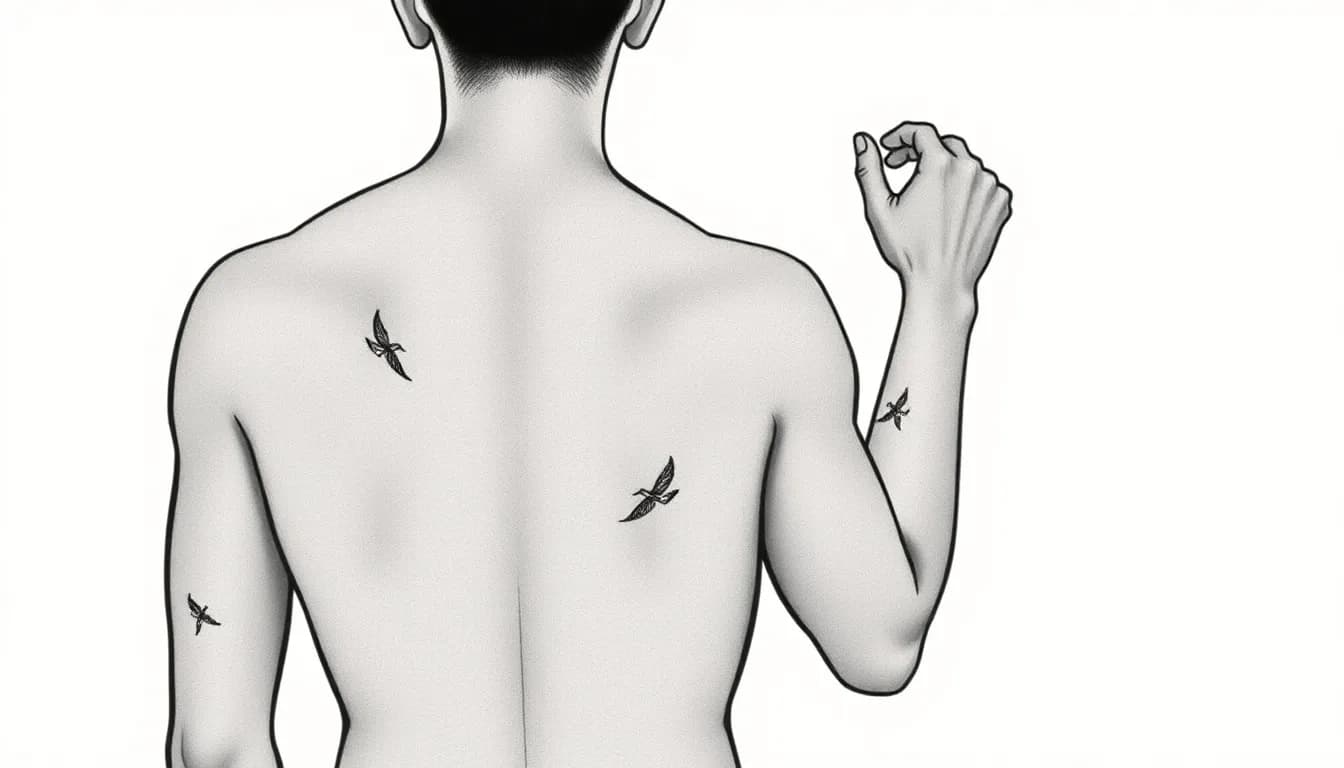
📸 Try On Your Body
Forearm Tattoo
One of the best canvases — visible, flat, and heals quickly. Great for sleeves, scripts, and geometric designs.
Wrist Tattoo
Perfect for small minimalist designs, dates, and symbols. Stay away from the inner wrist if pain sensitivity is a concern.
Chest Tattoo
Ideal for large statement pieces, portraits, and symmetrical designs. Bold blackwork and mandalas thrive here.
Back Tattoo
The largest canvas on the human body. Backs handle complex sleeves, landscapes, and full-back pieces.
Sleeve Tattoo
A full sleeve is a commitment — plan the overall concept before starting. AI design helps lock in the direction.
Finger Tattoo
Micro designs, bands, and symbols. Finger tattoos fade faster due to skin cell turnover — plan for touch-ups.
Ankle Tattoo
Delicate placement ideal for fine line botanicals, small animals, and symbols with personal meaning.
Rib Tattoo
Reserved for meaningful pieces — the pain is intense but the placement is powerful and intimate.
Generate a custom AI tattoo design for your chosen placement.
Meaningful Tattoo Ideas: Symbols That Tell Your Story
The most powerful tattoos carry personal meaning — a symbol of something survived, someone loved, or a belief held close. These aren't just designs; they're permanent markers of your story. Use INKAI to generate a unique version of any meaningful symbol that reflects exactly what it means to you.
Memorial tattoos, tribute pieces, and symbolic ink are among the most searched tattoo categories online — and for good reason. When something matters deeply, you want the design to be perfect before it's permanent.
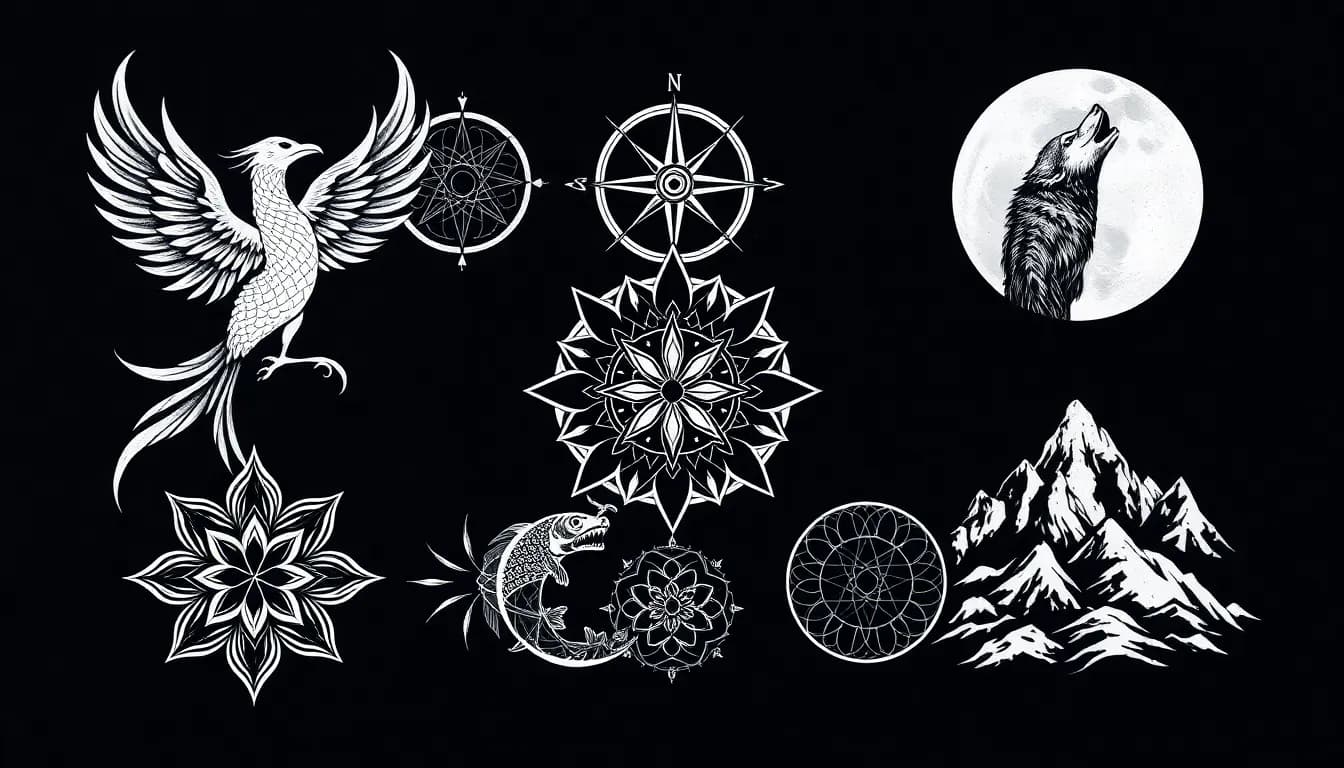
Phoenix
Rebirth & resilience
Rising from the ashes — one of the most powerful symbols for overcoming hardship, loss, or a new chapter in life.
Lotus Flower
Growth through adversity
The lotus grows through muddy water to bloom. A universal symbol of beauty emerging from difficult circumstances.
Compass
Direction & purpose
A reminder to stay true to your path. Often paired with coordinates of a meaningful place or the words 'find your way.'
Koi Fish
Perseverance & luck
In Japanese culture, koi swimming upstream represent the strength to overcome obstacles and keep moving forward.
Mountains
Ambition & stability
Mountains symbolize challenge and achievement. Popular as minimalist line art or dramatic landscape pieces.
Semicolon
Mental health awareness
A sentence the author chose not to end. One of the most emotionally meaningful small tattoos, associated with hope and survival.
Hourglass
Time & mortality
A reminder to live fully — often paired with botanicals, memento mori elements, or a loved one's birth and death date.
Infinity
Endlessness & connection
Often used for matching tattoos between partners, siblings, or parent and child. A symbol of unbreakable bonds.
Design Your Meaningful Tattoo with AI
Describe the symbol, the feeling, the person — whatever it represents — and INKAI's AI tattoo generator creates a unique design that captures its meaning. No two memorial or tribute tattoos should look the same.
🕊️
“Describe your tattoo idea in words — the AI creates a design as unique as your story.”
AI Tattoo Generator Prompts: Inspiration to Get You Started
The best AI tattoo designs start with a vivid description. The more specific your prompt — style, subject, placement, mood — the more precise the result. Here are real prompts to inspire your first generation.
“A geometric howling wolf silhouette integrated with a crescent moon, heavy dotwork shading, fine line detailing, blackwork style”
“Dark peonies and wild roses wrapping around a forearm with soft charcoal shading, fine line, botanical illustration style”
“Koi fish swimming upstream through cherry blossom petals, traditional Japanese irezumi style, bold outlines, red and black ink”
“A tiny mountain range with a single moon above it, ultra-minimalist single needle, inner wrist sized, fine line”
“Sacred geometry mandala with a compass rose at the center, perfect symmetry, dotwork fill, chest placement”
“An hourglass with wildflowers growing from the top and roots from the bottom, neo-traditional style, black and grey, meaningful tribute”
“The phrase 'per aspera ad astra' in elegant cursive script with small constellation dots trailing the last letter, fine line”
“A realistic fern frond unfolding with intricate vein detail, blackwork linework, forearm placement, botanical tattoo art”
AI Tattoo Generator vs. Traditional Tattoo Design
AI tattoo generators and human tattoo artists serve different — and complementary — roles. Here's an honest look at both.
AI + Artist = Best Result
Will tattoo artists work from AI-generated designs?▾
Yes — most professional tattoo artists are happy to use AI designs as a starting reference. They may refine line weights, adapt the design for your skin tone, and ensure it will age well. Think of INKAI as a powerful client brief, not a replacement for the artist's expertise.
Are AI-generated tattoos good enough to actually get inked?▾
INKAI produces high-resolution designs ready to use as reference art. Your tattoo artist will review the design for technical tattooability — line spacing, contrast for healing — and make any adjustments needed before applying the stencil.
Is AI going to replace tattoo artists?▾
No. AI generates the visual concept; a skilled artist applies it to living skin with precision and artistry that software can't replicate. INKAI makes the design process faster and more collaborative — it's a tool that empowers both client and artist.
How accurate are AI tattoo generators?▾
INKAI's outputs are highly style-accurate for most tattoo genres. Realistic portraiture and hyper-complex multi-element compositions may require more refinement by your artist. Simpler, style-driven designs — geometric, minimalist, Japanese, fine line — tend to translate most directly.
How Much Does a Tattoo Cost? A Complete Guide
Tattoo pricing varies based on size, complexity, style, and your artist's experience level. Understanding costs before your appointment helps you plan — and designing your tattoo with INKAI first can save you expensive revision time in the studio.
Most tattoo artists charge a minimum shop fee ($50–$100) regardless of size, and an hourly rate ($100–$300/hr) for larger pieces. Bringing a clear reference design — like an AI-generated concept from INKAI — can reduce the number of consultations needed and speed up your session.
💡 Design first, save time
| Size | Price Range |
|---|---|
| Tiny (< 2 inches) | $50–$150 |
| Small (2–4 inches) | $100–$300 |
| Medium (4–6 inches) | $250–$600 |
| Large (6+ inches) | $400–$1,500+ |
| Full Sleeve | $1,500–$5,000+ |
Prices are general estimates and vary by region, artist experience, and studio. Always get a quote from your artist.
AI Tattoo Generator — Frequently Asked Questions
Is there an AI tattoo generator app?▾
Yes. INKAI is an AI tattoo generator app available on iOS and Android that creates custom tattoo designs from text descriptions. Simply describe your tattoo idea and the AI generates unique designs in seconds.
How does the AI tattoo generator work?▾
INKAI uses advanced AI models trained on professional tattoo artwork. You type a description of your tattoo idea — style, subject, placement — and the AI generates custom, high-resolution tattoo designs you can save and share with your tattoo artist.
Can I create a custom tattoo design with AI?▾
Absolutely. INKAI lets you create fully custom tattoo designs using AI. Choose from styles like minimalist, geometric, traditional, Japanese, blackwork, and more. Every design is unique and generated just for you.
Is the AI tattoo generator free?▾
INKAI is free to download with daily free generations included. A Premium plan is available for unlimited generations and high-resolution exports.
What tattoo styles can I generate with AI?▾
INKAI supports over 50 tattoo styles including minimalist, geometric, traditional, Japanese, tribal, watercolor, fine line, blackwork, dotwork, realism, neo-traditional, and many more.
Can I send my AI tattoo design to my tattoo artist?▾
Yes. INKAI exports high-resolution image files. You can send the design to your artist via message, email, or show it on your phone during your consultation. Most tattoo artists are comfortable working from AI-generated reference images the same way they work from any reference photo.
Can I use an AI tattoo design as a stencil for my artist?▾
Yes. INKAI exports high-resolution design files that work as reference art or stencil templates. Your tattoo artist may adjust line weights and technical details before applying the stencil, but the AI output gives them a clear, exact starting point.
Do I need drawing skills to design a tattoo?▾
No drawing skills needed. INKAI turns text descriptions into tattoo designs. Describe your idea in plain words — style, subject, placement, mood — and the AI generates the artwork.
Download the AI Tattoo Generator App
Start creating custom AI tattoo designs today. Free to download on iOS and Android. Your next tattoo starts here.
- ⚡ Generate your first AI tattoo design in under 60 seconds
- 🎨 50+ styles — minimalist, geometric, Japanese, blackwork & more
- 📸 Try on your design — preview it on your body before the appointment
- 💾 Export high-res files your tattoo artist can work from directly
- ✏️ Get hand-drawn AI sketch concepts for your artist consultation
- 🆓 Free to download — daily free generations included, no credit card
